Died to Queen Beeatrice for the tenth time? If you’re looking for the Super Bear Adventure Unlimited Health MOD APK, you’re not alone — it’s one of the most searched mods for this game.
In the normal version, Baaren survives on a limited set of hearts: a few boss hits or one bad fall and you’re back at the last checkpoint.
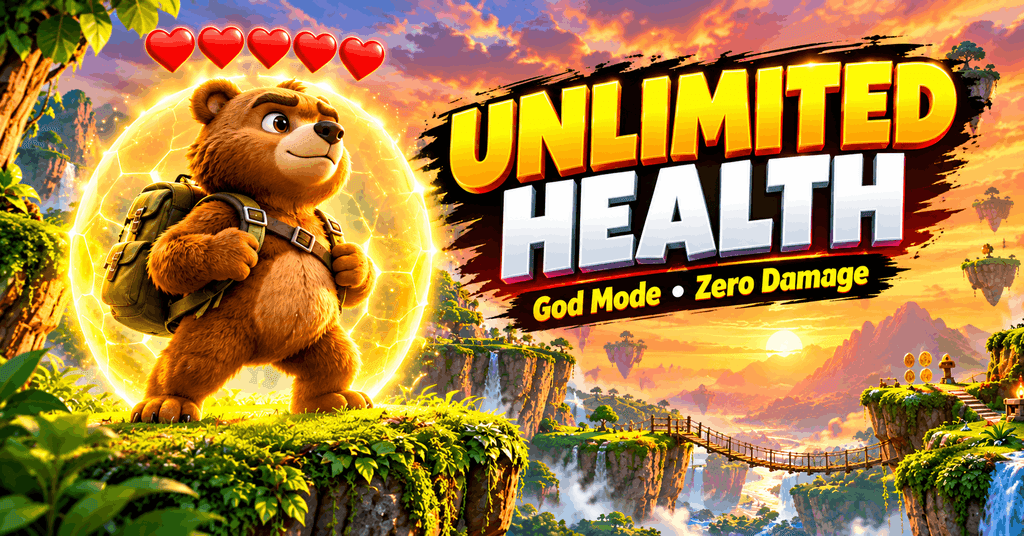
The unlimited health mod is built to break that cycle. In mod-menu showcases shared by players online, a single toggle keeps hearts locked at full while spikes, lava, bosses and falls fail to kill — though exact behavior can vary between mod builds, so treat community footage as a preview, not a promise.
This guide goes deeper than the usual “download and enjoy” posts: you’ll see where the god mode toggle lives inside real mod menus, the 4 different ways mods keep you alive (god mode isn’t the only one), and how to fix it when the menu doesn’t show up.
Where Unlimited Health Lives: Inside the Real Mod Menu
Most articles just say “turn on god mode.” Here’s what player-shared mod menus actually contain under the Player Menu — based on community showcases of recent builds (for example, recorded walkthroughs of v12.1.1 and v12.1.3 mod menus on YouTube):
- God Mode — the main toggle. Designed to lock health at full so hits don’t drain hearts.
- Set Health (1–6) — lets you pick an exact heart count instead of full god mode. Useful if you want some challenge left.
- Revive — brings you back instantly without replaying to the checkpoint.
- Infinite Oxygen — for the underwater sections, so you don’t drown while exploring.
One honest note: those showcases were recorded on older builds, while the file on our download page is v13.0.4. Menus in the same family usually carry the same Player Menu options, but we haven’t individually re-tested every toggle on this exact build — if one toggle misbehaves after a game update, the others usually still work, so you have backups.
4 Ways Mods Keep You Alive (Pick the Right One)
God mode is the famous option, but it’s not always the smartest. Here’s how the survival options compare:
| Option | What it does | Best for |
|---|---|---|
| God Mode | Tries to keep health locked so damage doesn’t stick | Boss fights, blind exploration |
| Set Health (1–6) | Keeps hearts at a number you choose | Keeping some challenge |
| Enemies Can’t See Me | Enemies ignore you completely | Sneaking through hard areas, collecting items in peace |
| Monsters Do Not Attack | Enemies exist but never strike | Practicing boss patterns safely |
Player tip: “Enemies Can’t See Me” (found under the Enemy Menu in full mod menus) is underrated — you explore freely and the game still feels alive, unlike god mode where total invincibility can get boring fast.
How to Turn On Unlimited Health (Step by Step)
- Download the MOD APK from our Super Bear Adventure MOD APK download page and install it (allow “Install from Unknown Sources” when asked).
- Launch the game and look for the mod menu’s floating icon on the screen.
- Open the Player Menu and find the God Mode toggle.
- Turn it ON — your hearts should now stay locked at full.
- Prefer a lighter touch? Use Set Health (1–6) instead and keep the tension.
The menus shown in community showcases run on stock Android with no root mentioned — but as with any unofficial APK, install only if you’re comfortable with that.
About the File on This Page
| Detail | Info |
|---|---|
| Version | v13.0.4 |
| Size | ~254 MB |
| Format | APK (Android only) |
| Last updated | 2026-09-16 (as listed on our download page) |
Safety tip: before installing any APK from anywhere, upload it to virustotal.com for a free multi-engine malware scan. It takes a minute and it’s the simplest real check you can do. Keep your device’s Play Protect active too.
Where God Mode Helps the Most
Unlimited health changes these specific pain points:
- Boss fights — Queen Beeatrice, Turtle Golem, the Yeti, and the Purple Bear all have attack patterns that punish mistakes. God mode turns these from frustrating walls into fun spectacles.
- The “Floor Is Lava” mission — one of the most replayed missions in player communities; lava becomes harmless.
- Backrooms void falls — explore the trickiest platforming sections without losing progress.
- Secret hunting — risky jumps to hidden areas in Snow Valley or the Hive become free experiments instead of checkpoint reloads.
Everything else stays the same: you still collect coins, rescue bears, and unlock worlds by playing.
Troubleshooting: When God Mode Doesn’t Work
This is the section most download pages skip — and it’s the one players actually search for when things break:
The mod menu icon doesn’t appear. Fully close the game and relaunch it. On some devices the floating icon only shows after you reach the main menu, not during the loading screen. Some players also report that enabling “display over other apps” permission for the app helps.
God mode worked yesterday, not today. The most common reported cause is a version mismatch: mod menus are built for specific game versions. If the game updated but your mod APK is older, toggles can silently fail. Use a mod build matching your game version.
Health drops despite god mode being ON. Try toggling it OFF and back ON after loading into a level. Some menus only apply the lock when toggled inside active gameplay, not from the main menu.
Game crashes when opening the menu. This is often reported when the mod build doesn’t match the phone’s architecture (armv7 vs arm64). Reinstalling with the build made for your device usually fixes it.
Multiplayer and Safety: Honest Talk
In offline single-player, god mode affects only your own game, so the ban risk is very low — but no one can promise zero risk with unofficial builds, so keep that in mind. For online multiplayer, the situation is different: modded clients can be flagged. Player communities consistently give the same advice — use a secondary account for modded multiplayer and keep your main account clean.
Also: only download APKs from sources you trust. A mod menu asking for permissions unrelated to the game (contacts, SMS) is a red flag — the legitimate-looking ones players showcase don’t ask for those.
Frequently Asked Questions
Is unlimited health free in the MOD APK?
Yes. It’s a built-in mod menu toggle — no payment, no locked features, no “premium god mode.”
What’s the difference between God Mode and Set Health (1–6)?
God Mode tries to keep you fully protected with health locked; Set Health (1–6) keeps your hearts at the number you pick. Use Set Health if you want danger to still exist; use God Mode if you want near-zero stress.
Why is my mod menu not showing up?
See the troubleshooting section above — the usual fixes are a full relaunch, checking “display over other apps” permission, and matching the mod version to your game version.
Does unlimited health work on iOS and PC?
The MOD APK is Android-only. On PC, run it through an Android emulator (like BlueStacks) with the same features. There is no direct iOS install for APK files.
Will I get banned for using god mode?
Offline single-player: risk is very low, but never literally zero with unofficial builds. Online multiplayer: modded accounts can be flagged, so use a secondary account there.
Can I turn unlimited health off?
Yes — toggle God Mode off in the Player Menu anytime. Difficulty returns to normal instantly, no reinstall needed.
Final Verdict
Unlimited health is the most useful MOD feature in Super Bear Adventure for most players — but the smart approach isn’t just flipping god mode on and forgetting it. Knowing the full Player Menu (Set Health, Revive, Infinite Oxygen) and the Enemy Menu alternatives (“Enemies Can’t See Me”) gives you control over how easy the game gets, instead of a blunt on/off.
Stop replaying checkpoints. Play the game your way.
Download Super Bear Adventure MOD APK — Unlimited Health Included
Educational note: this guide is for informational purposes. MOD APKs are unofficial builds not affiliated with the game’s developers — if you enjoy the game, consider supporting the original developers too.